Search without spreadsheet work
Find customer records by name, phone number or email address.
Customers & data
Keep contact details, booking history and marketing consent in one place. Bring customer data in, take it out when you need it, and control who can access it.
How it works
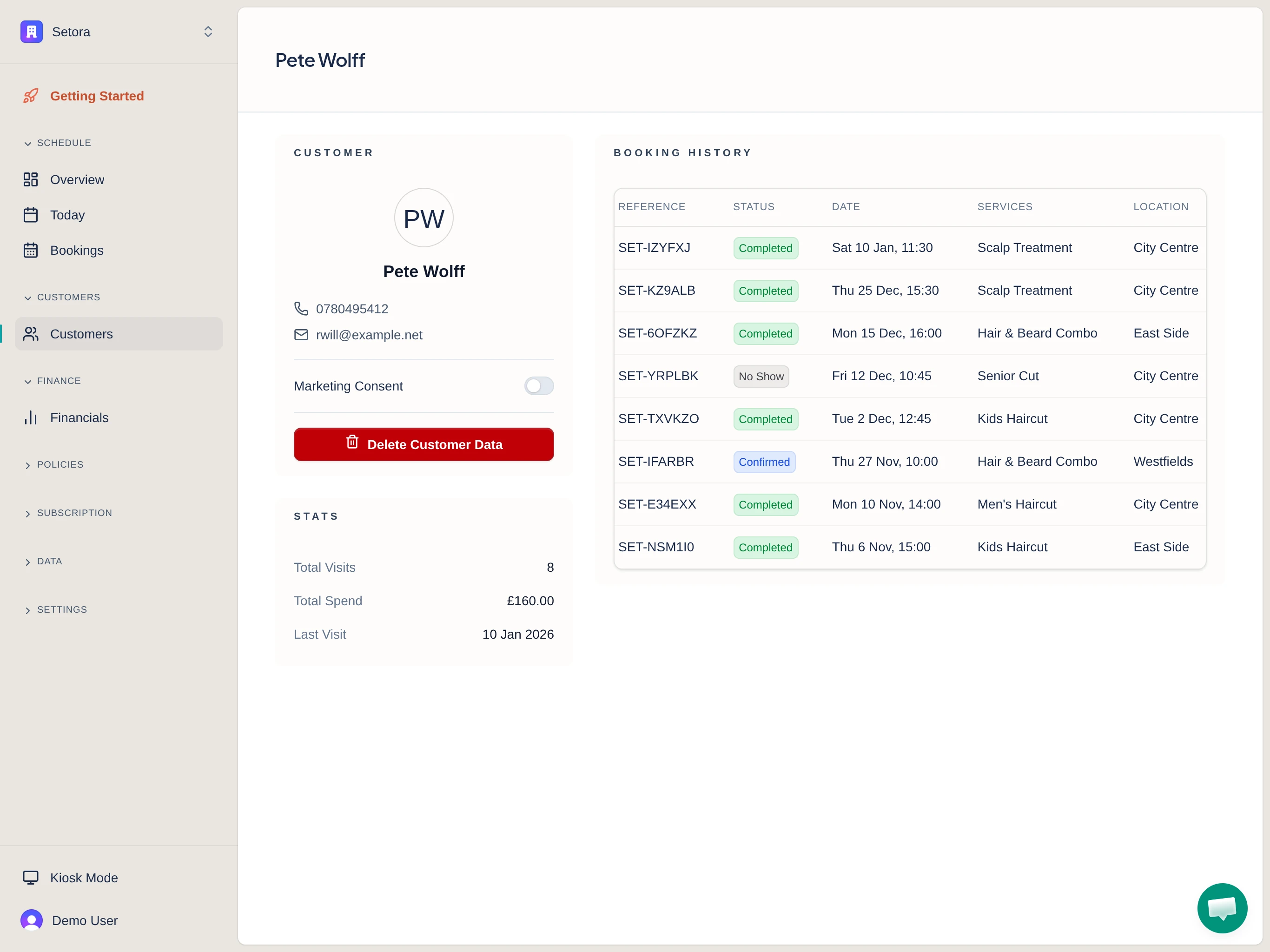
See contact details, marketing consent, visit stats and booking history together.
Search by name, phone or email, then open the matching record.
Import a supported customer file or export the customer list as CSV.
Customer records
A customer profile with synthetic example data. Contact details, marketing consent, visit totals and booking history stay together.
Open full-size image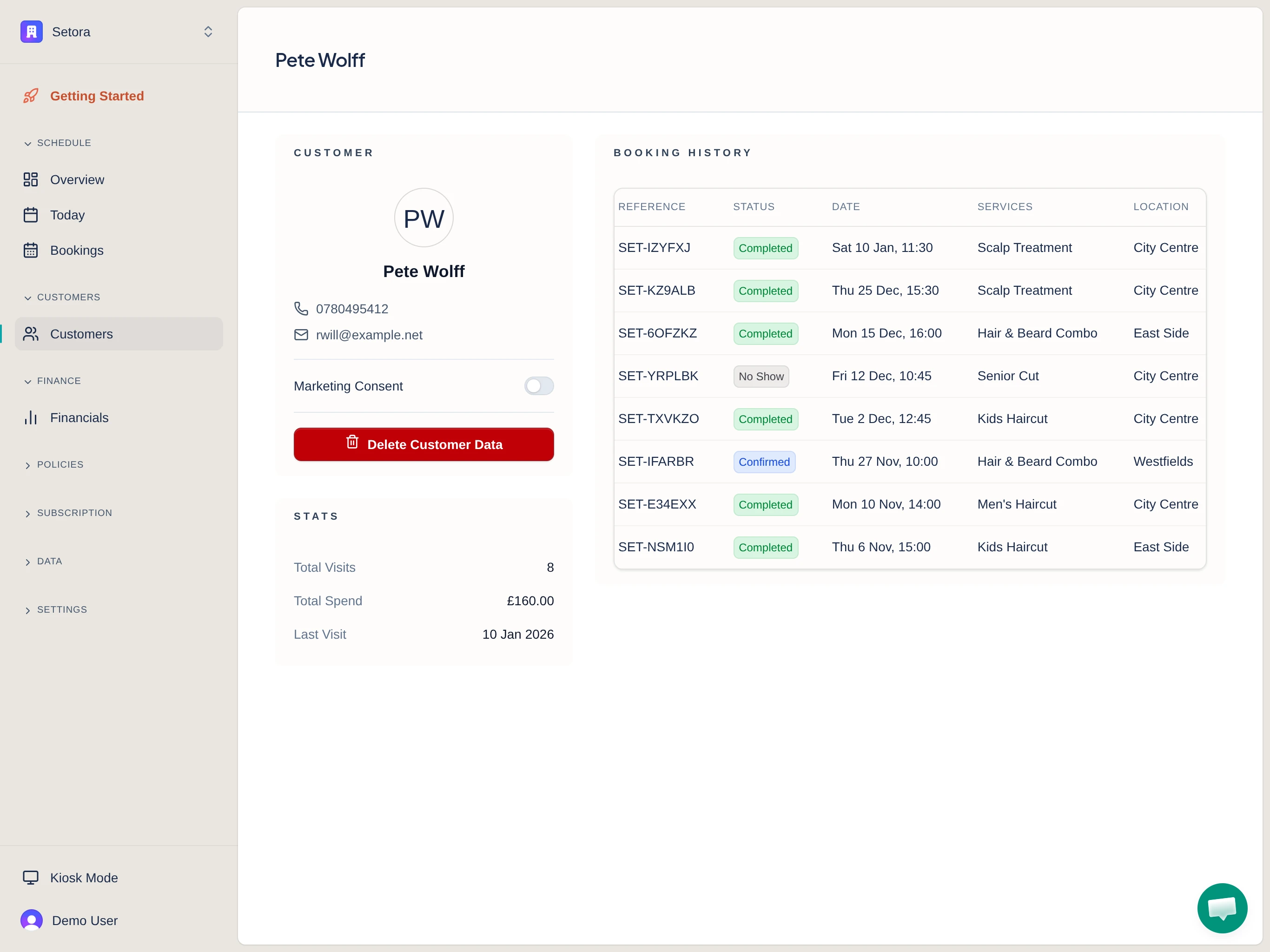
Day to day
Find customer records by name, phone number or email address.
See and update marketing consent from the customer profile, with Mailchimp syncing where connected.
Remove personal information while keeping anonymised booking records for financial reporting.
Your data, clearly handled
Keep first name, last name, phone and email together in each customer profile.
See past and upcoming bookings, services, locations and visit totals from the customer record.
Upload customer data from another platform, preview the file and confirm the column mapping before import. Read the Setora onboarding guide before you bring your data across.
Export customer contact details, marketing consent, booking totals and last booking date as a CSV file. If you are leaving another platform, use the GDPR data-portability request template for the data it holds.
Use role-based permissions for viewing, editing, importing, exporting and deleting customer data. Exports also need owner or manager PIN authorisation. Read the GDPR information and privacy policy for the wider rules around personal data.
Customer records support booking operations. Setora does not include campaign building, loyalty points or a marketing automation suite.
Questions
Customer records include first name, last name, phone, email, marketing consent, booking history and visit statistics. They do not currently include salon consultation notes, formulas, allergy records, patch-test records, photos or attachments.
Yes. You can upload a CSV or Excel file, preview the data and confirm how its columns map to Setora customer fields. Customer data and booking history can be imported as separate data types where the source export contains the required fields.
Yes. Customer exports are CSV files containing contact details, marketing consent, total bookings and last booking date. Export access is permission-controlled and requires an owner or manager PIN authorisation.
Setora removes the customer's name, phone, email and marketing consent. Booking records are retained with anonymised customer details for financial reporting, so the history is not silently lost.
No. Setora keeps customer records around your bookings and day-to-day operations. It does not provide campaign building, loyalty points, lead pipelines or marketing automation. Mailchimp integration is available when you need email marketing in a separate tool.
Setora gives owners controls to view, update, export and delete customer records, subject to role permissions. For wider privacy information, read the GDPR page and privacy policy.