Automatic cancellation recovery
The common flow runs without staff intervention. A cancellation can turn into a confirmed booking while the team keeps working.
Cancellations & demand
Setora's barbershop waitlist management keeps demand attached to a busy diary. When a slot frees up, Setora notifies the next customer and holds the time while they confirm.
How it works
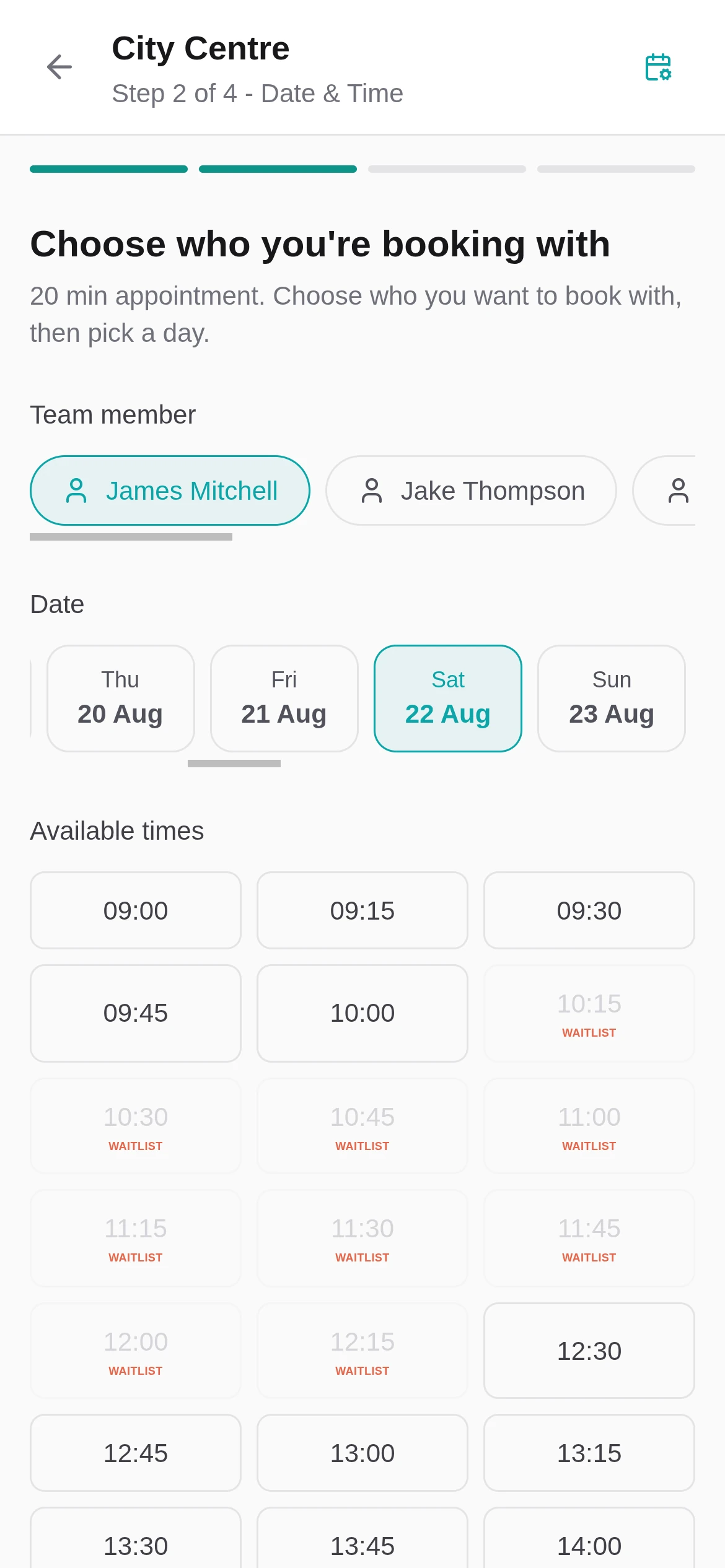
When a preferred time is full, the customer joins the waitlist with their service, contact details and preferred window.
When a cancellation creates an opening, Setora notifies the next customer by email, SMS or both, respecting your notice rules.
The slot is held for a set time. If the customer confirms, it becomes a normal booking. If not, the hold expires.
In the product
The common flow runs without staff intervention. A cancellation can turn into a confirmed booking while the team keeps working.
Set minimum notice periods and hold lengths so customers are not pinged about times they cannot realistically take.
The dashboard still lets staff search, filter, notify manually and convert entries when they want to handle a gap themselves.
Management dashboard
Choose whether customers are notified by email, SMS or both when a slot opens up.
Set how far in advance a slot must be to trigger a waitlist notification. No pinging customers about a slot that starts in 10 minutes.
Each notification gives the customer a window to confirm. If they do not respond, the slot moves to the next person automatically.
Waitlist entries expire after a period you choose, keeping the queue fresh and relevant.
View every entry, filter by status, service or staff member, search by customer name and send a manual notification when needed.
For the operational playbook, read our barbershop waitlist guide, calculate what an empty chair costs with the no-show cost calculator, or manage the waitlist step by step in the Help Centre. For repeat late cancellations and no-shows, see Booking Protection.
Questions
The questions shop owners ask us most about this.
When a preferred slot is full, customers join the waitlist with their name, contact details and service preference. When a cancellation creates an opening, Setora automatically notifies the next person on the waitlist by email or SMS with a time-limited hold on the slot. If they confirm, the booking is made automatically with no staff involvement.
Yes. Setora sends automatic notifications by email, SMS or both when a cancellation creates an opening. Each notification includes a time-limited hold you choose. If the first person does not respond in time, the next person in the queue is notified automatically.
Waitlist entries expire after a period you choose, keeping your queue fresh and relevant. You can set the expiry duration in your Setora settings to match your shop's needs.
Yes. The Setora management dashboard lets you view all waitlist entries, filter by status, service or staff member, search by customer name, send manual notifications, and convert entries to confirmed bookings in one click.